




 USD
 EUR
 GBP
 CAD
 AUD
 HKD
 JPY
 KRW
 SGD
 NZD
 THB
 TWD
 English
 繁體中文
 日本語
 한국어
 ไทย
 Bahasa Indonesia
 Français
 Español
 Deutsch
 Português
 Nederlands
 Tiếng Việt

By EVPADPro | 10 April 2026 | 0 Comments
How To Restart EVPAD?
Is your EVPAD TV box feeling a bit slow or laggy?
Try restarting the device first
Steps:
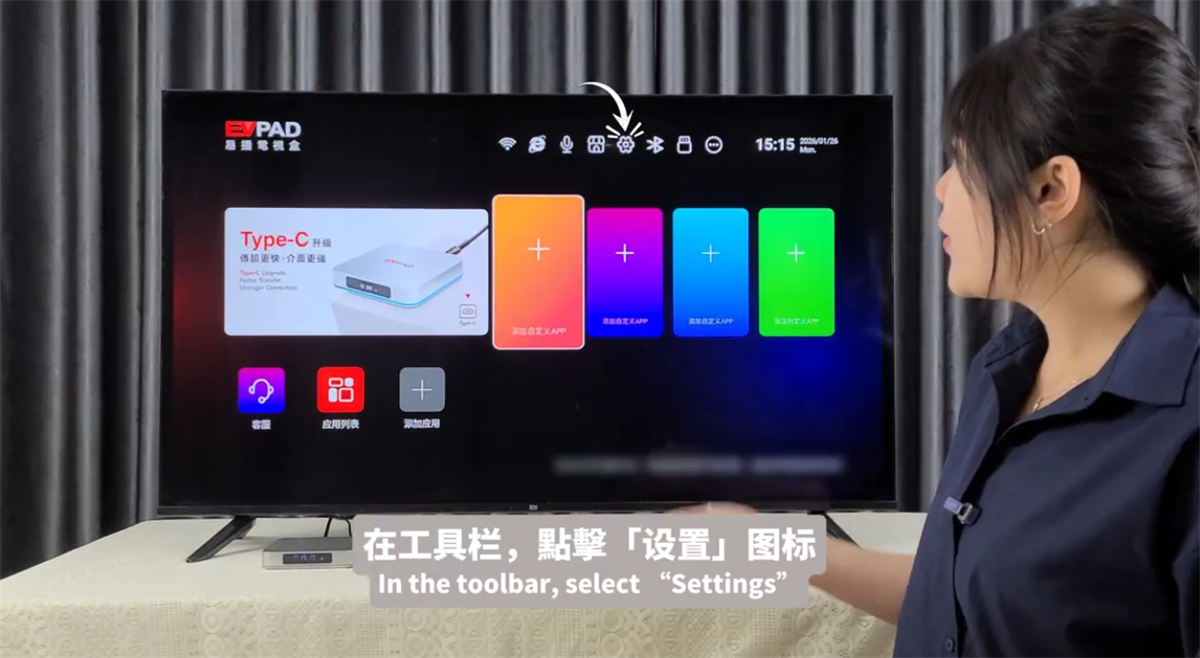
1, Open the toolbar and select Settings.
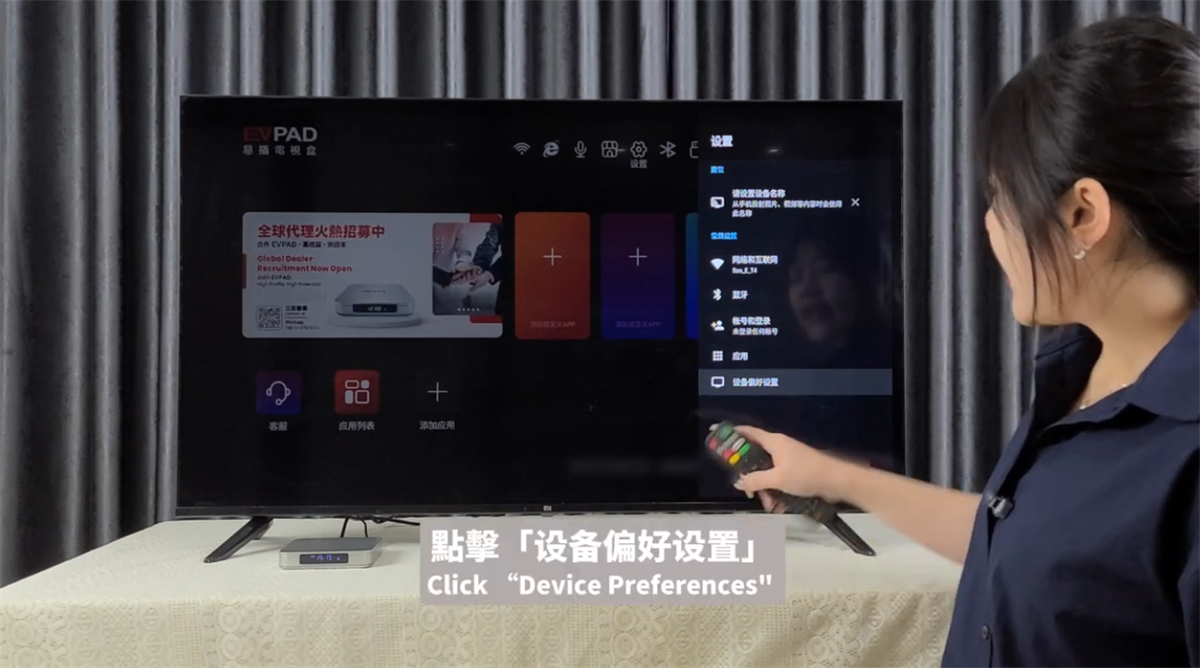
2, Tap Device Preferences.
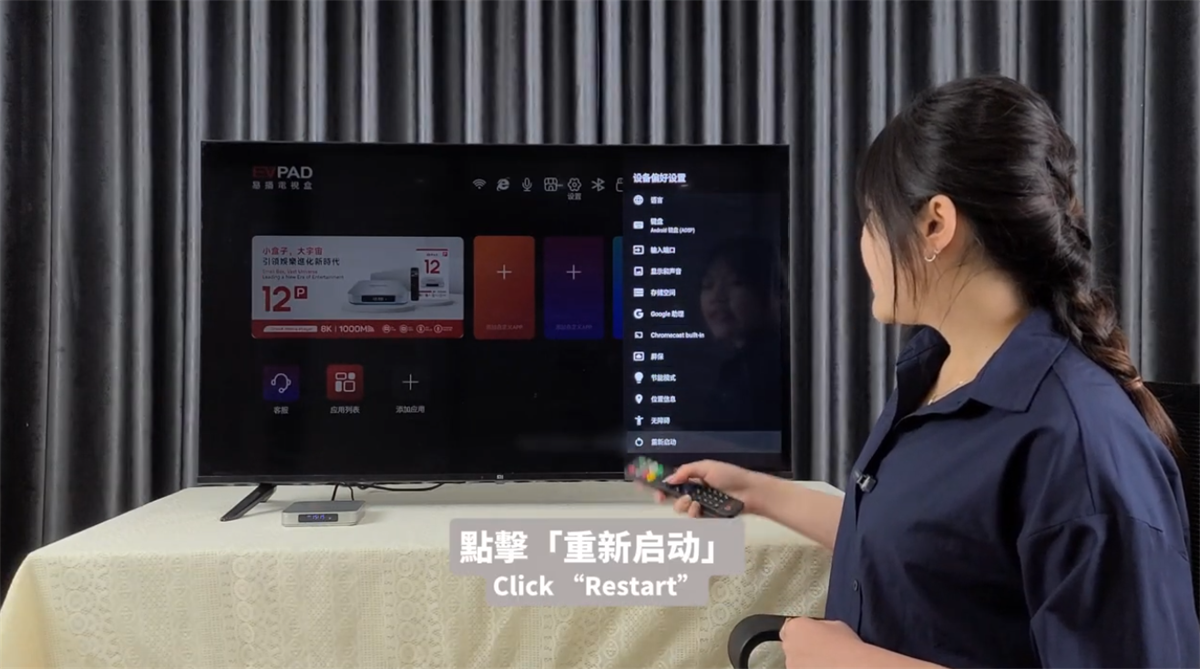
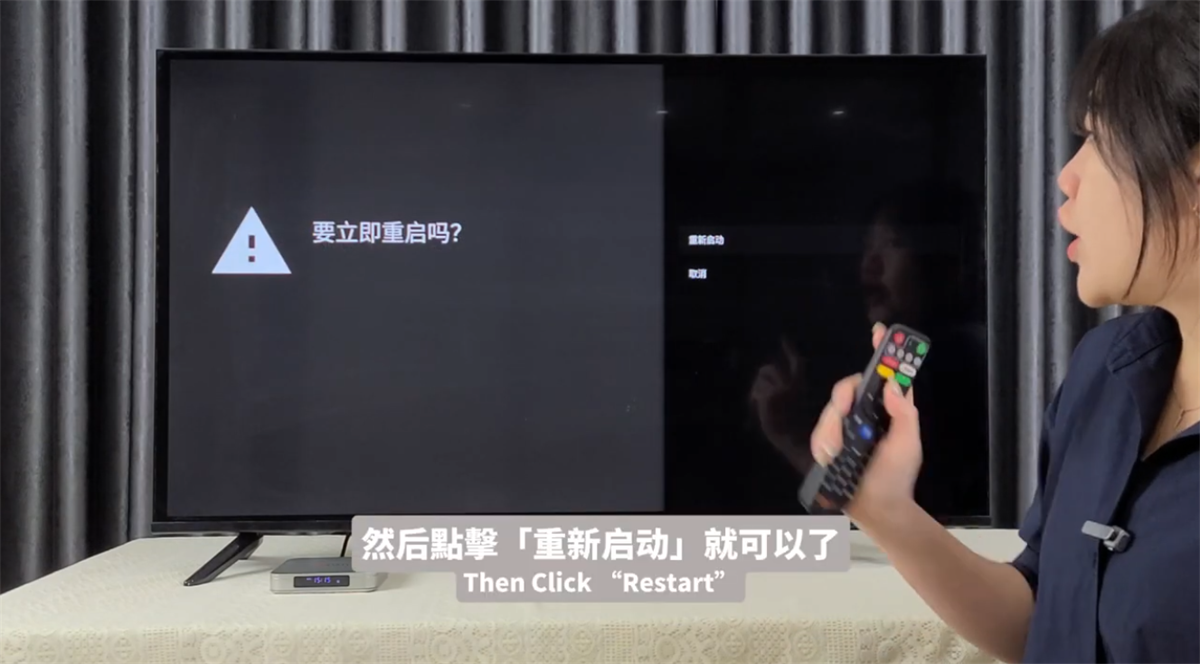
3, Scroll to the bottom and choose Restart.
If you notice minor lag, a quick restart usually helps. This method works for most TV boxes.
Try restarting the device first
Steps:
1, Open the toolbar and select Settings.
2, Tap Device Preferences.
3, Scroll to the bottom and choose Restart.
If you notice minor lag, a quick restart usually helps. This method works for most TV boxes.
ARCHIVES